Khazaf Storeخزف
An Arabic storefront for WooCommerce.
A free block theme for WooCommerce® stores, designed in Arabic first. Its Arabic typefaces ship in the package, a sale badge shows only beside the regular price struck through, and the focus indicator stays visible in light and dark.
v1.1.028 November 2026Block theme
StatusVersion 1.1.0 is available from GitHub, and coming soon to the WordPress.org directory.
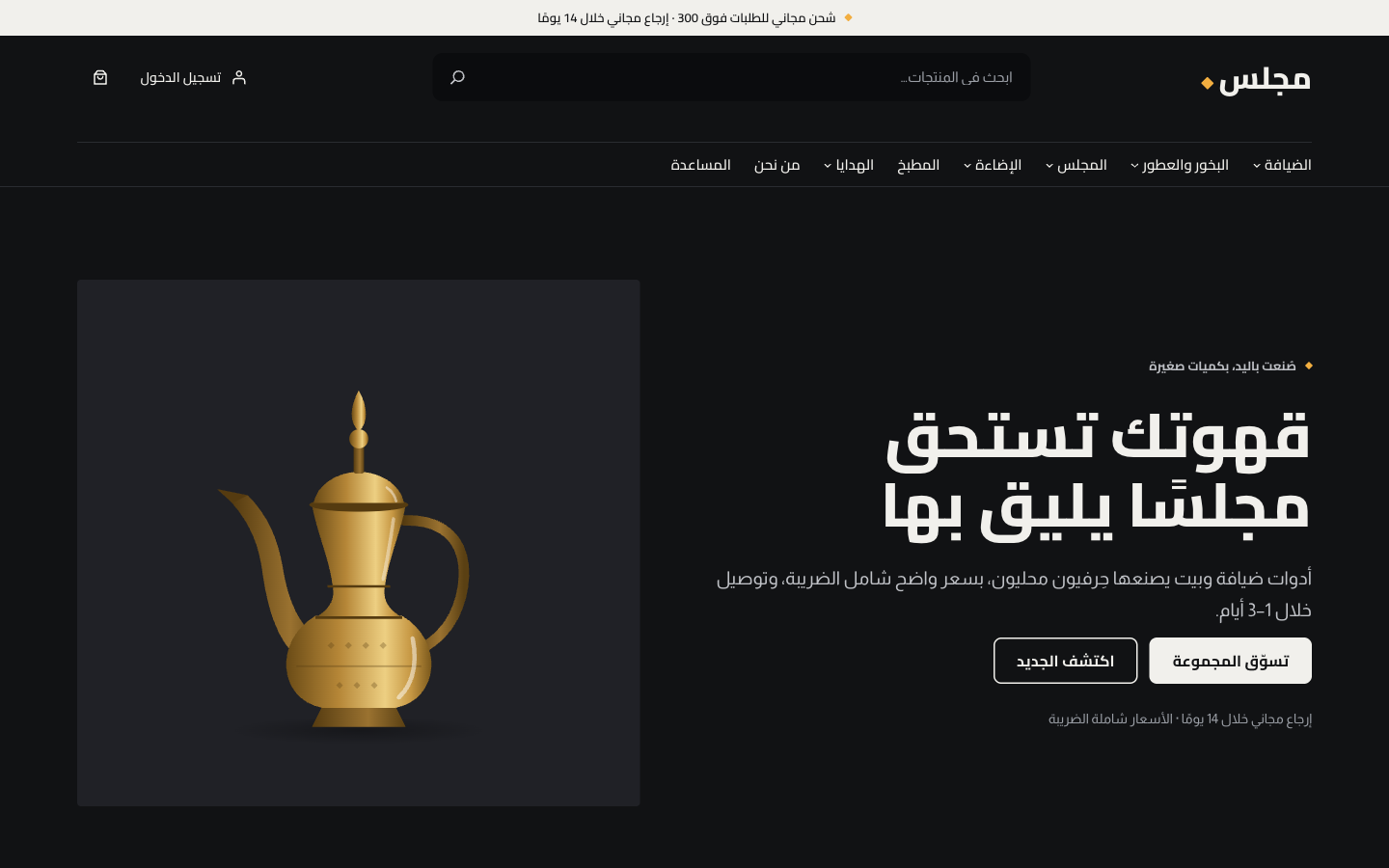
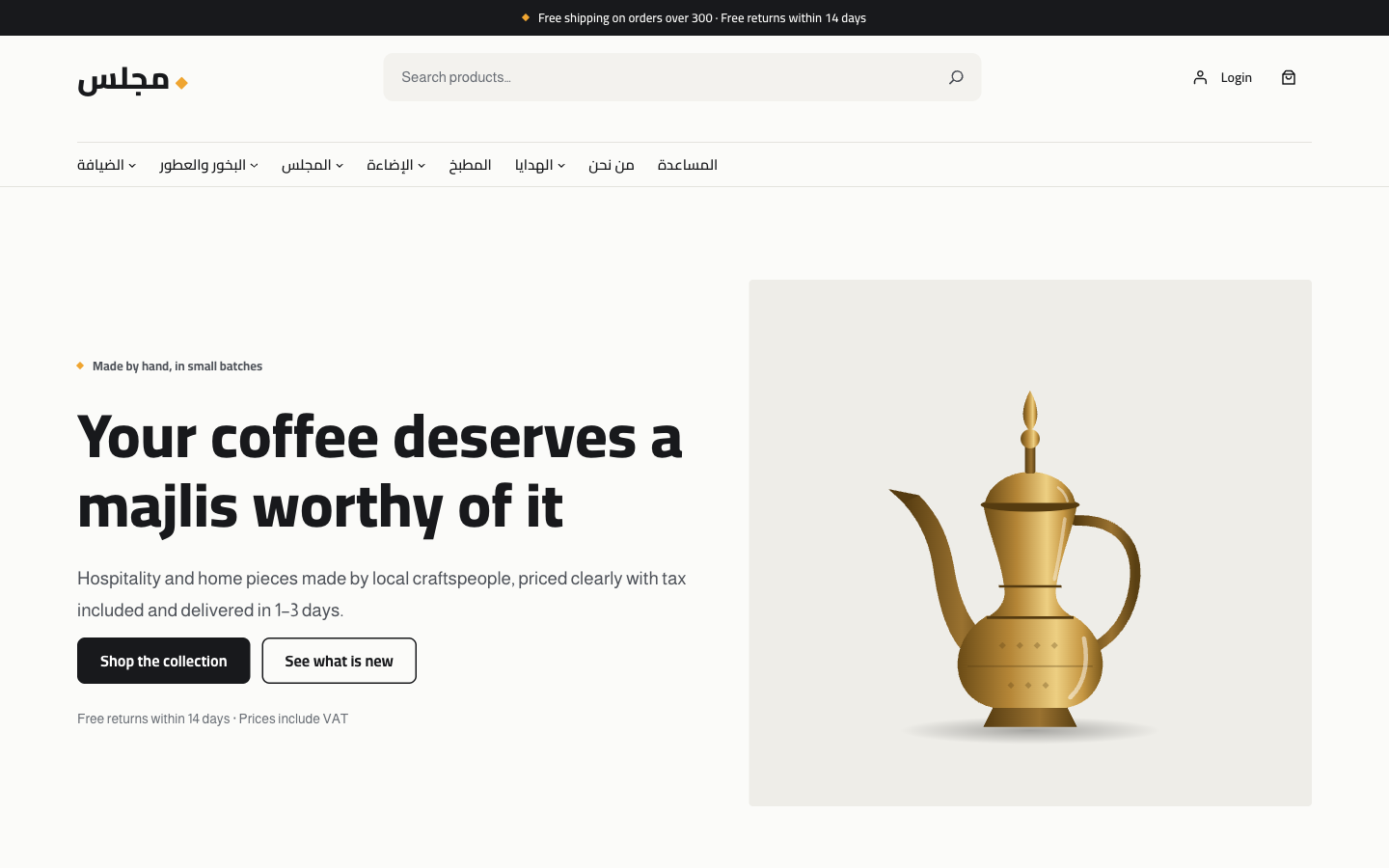
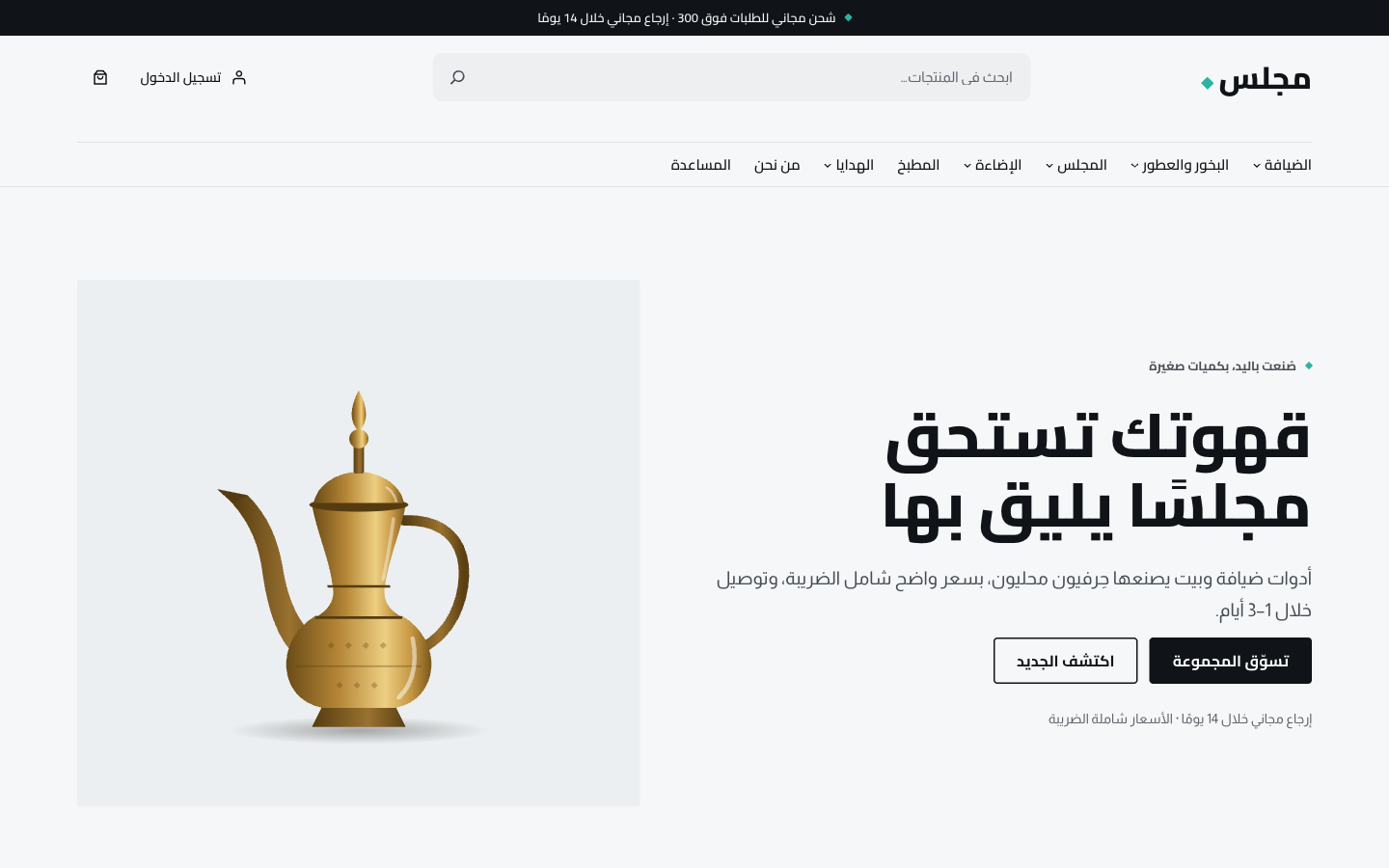
1440pxThe front page on a computer
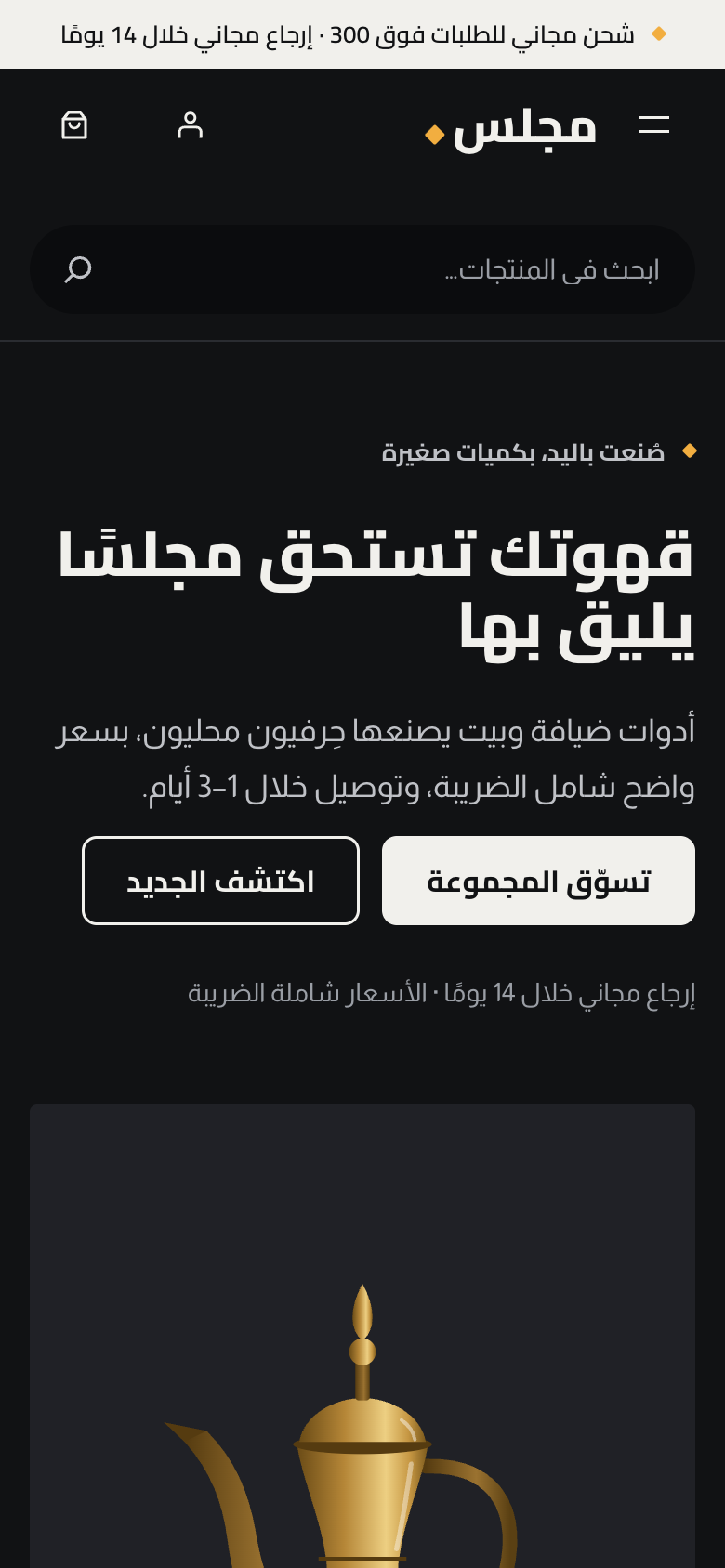
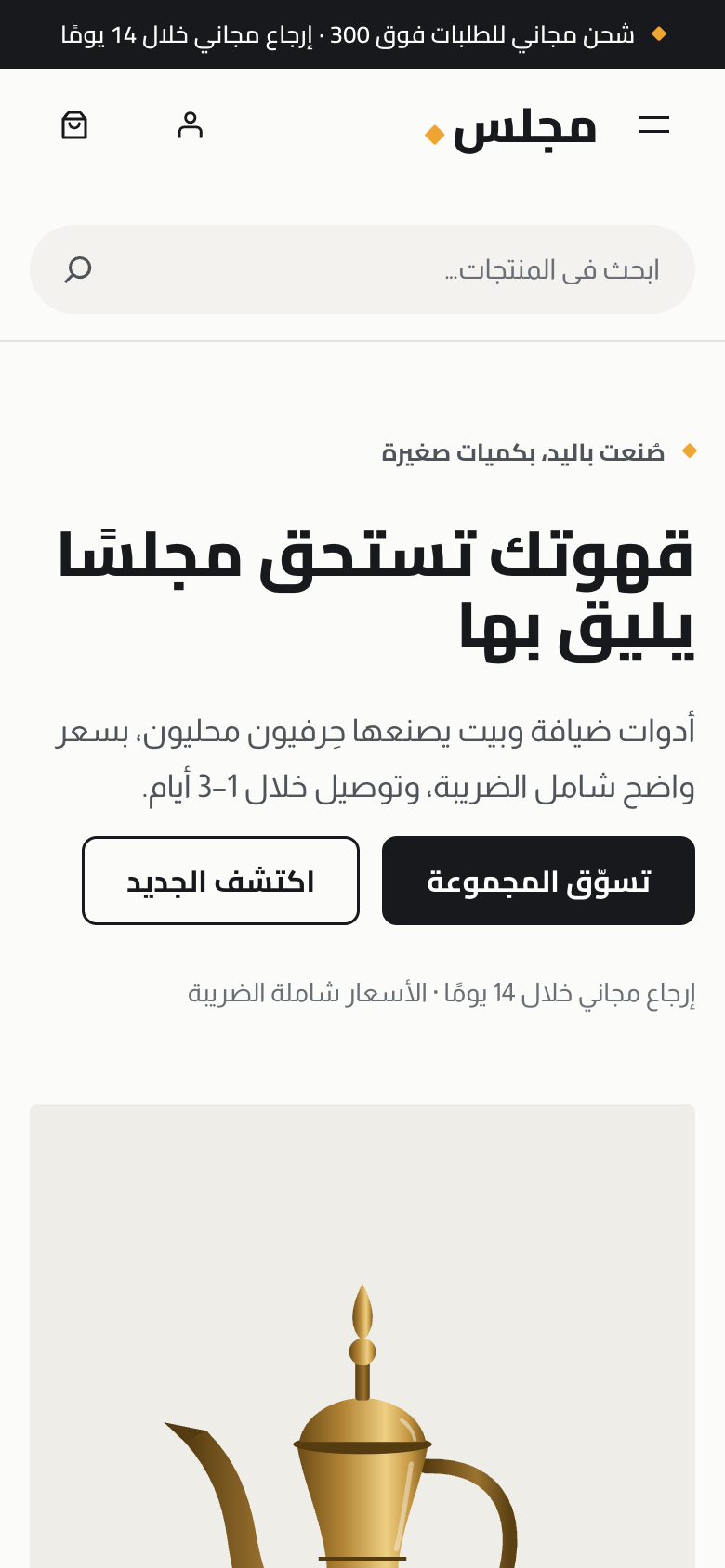
390pxand on a phone
One theme for both screens
Screenshots from the “Majlis” demo store. Its names and prices are demo data.
- Version
- 1.1.0
- Status
- Available from GitHub, coming to the directory
- WordPress
- 7.1 or later
- PHP
- 7.4 or later
- WooCommerce
- Optional
- License
- GPLv2 or later
Measured numbers
The first five numbers were measured on a local test site running version 1.0.0, with the tool and date beside them. The four counts that follow come from the theme’s files.
- Accessibility
- Lighthouse 13.6, front page with mobile emulation, 26 November 2026; 93 on the product page
- 96/100
- Best practices
- Lighthouse 13.6, front page and product page, 26 November 2026
- 100/100
- Layout shift on load (CLS)
- Lighthouse 13.6, front page with mobile emulation, three runs in a row, 26 November 2026
- 0
- Theme Check errors and warnings
- The WordPress.org theme review team’s own tool, version 20260901, 26 November 2026
- 0
- Requests to other sites
- Playwright, every request on the fully scrolled front page: 56, all from the site’s own domain, 26 November 2026
- 0
- WooCommerce templates
- Shop, search, product, cart, checkout, order confirmation and coming soon. Counted from the files in templates that WooCommerce knows
- 7
- Ready-made patterns
- Listed in the Site Editor inserter, added with one click. Counted from the 33 files in patterns, 10 of them hidden ones that build the templates
- 23
- Style variations
- Dark, Nili and Hajar, besides the original. Counted from the files in styles
- 3
- Typefaces
- Cairo and Almarai in six woff2 files bundled with the theme, plus the two Khazaf Digits files derived from Almarai for number fields
- 2
Numbers come from a local test site without caching or a CDN. Yours will differ with hosting, plugins and content.
The whole purchase
From the front page to the order confirmation, as a shopper sees it.
1Front page
Sections and picked products, and the announcement bar with what the store wrote.
2Shop and filters
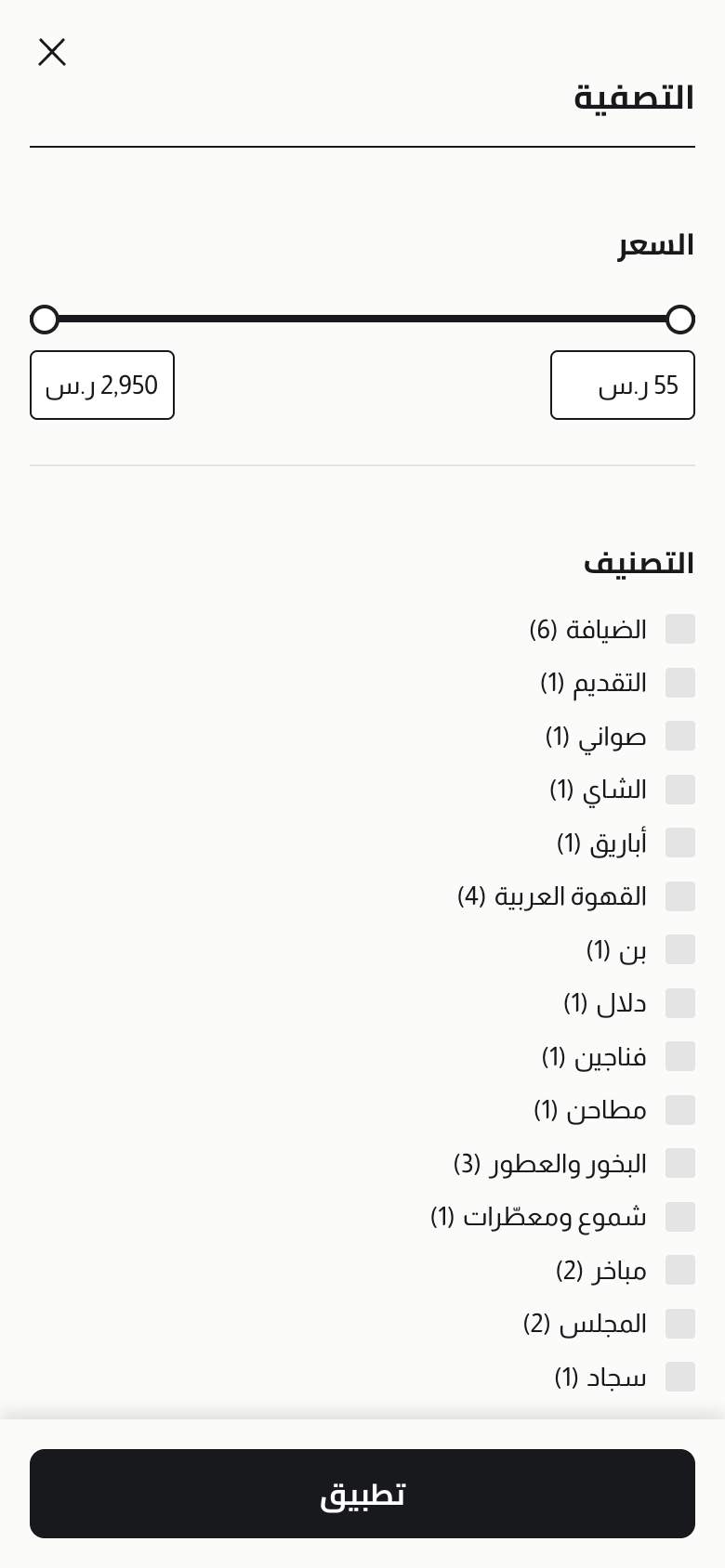
Price, attributes and stock; on phones, a panel over the content.
3Product
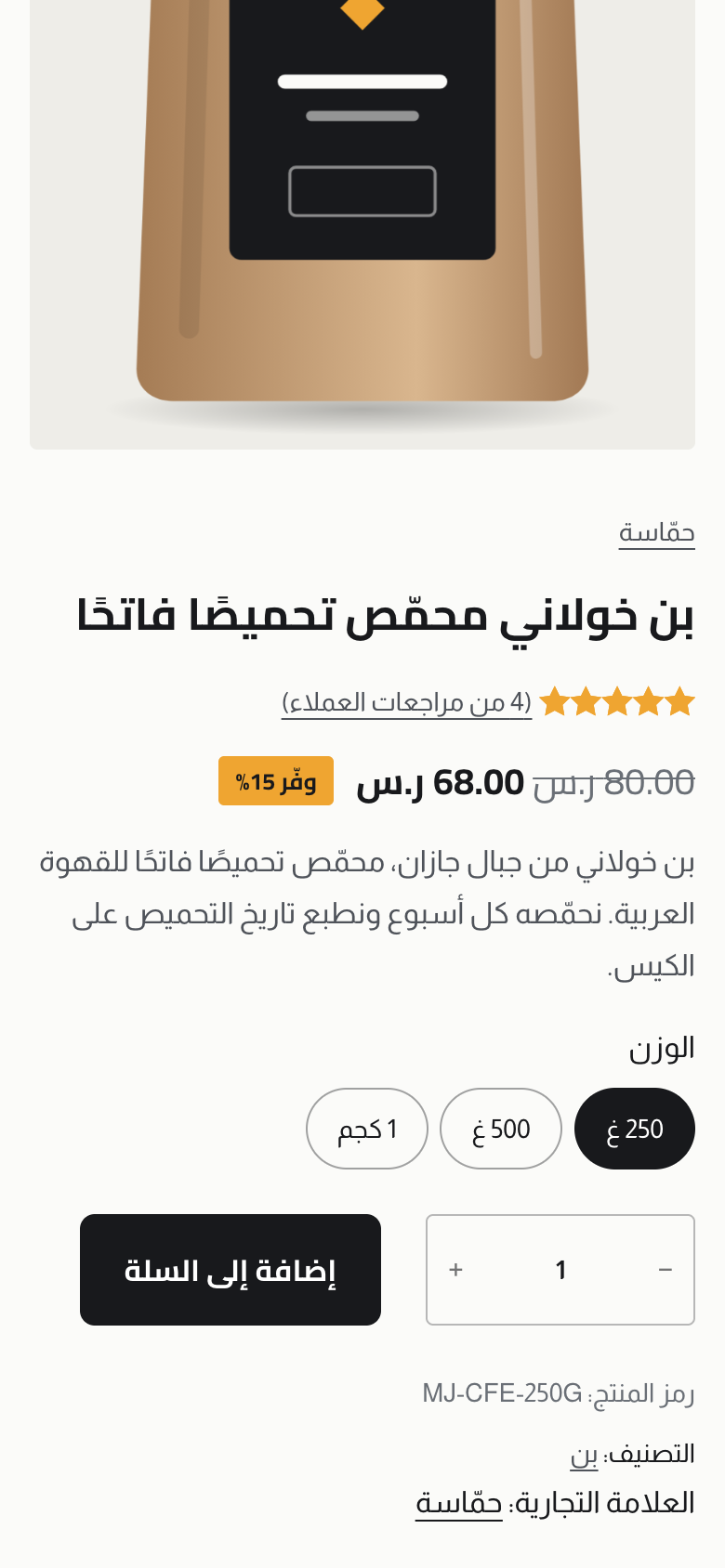
Price, discount and options are clear before adding.
4Mini-cart
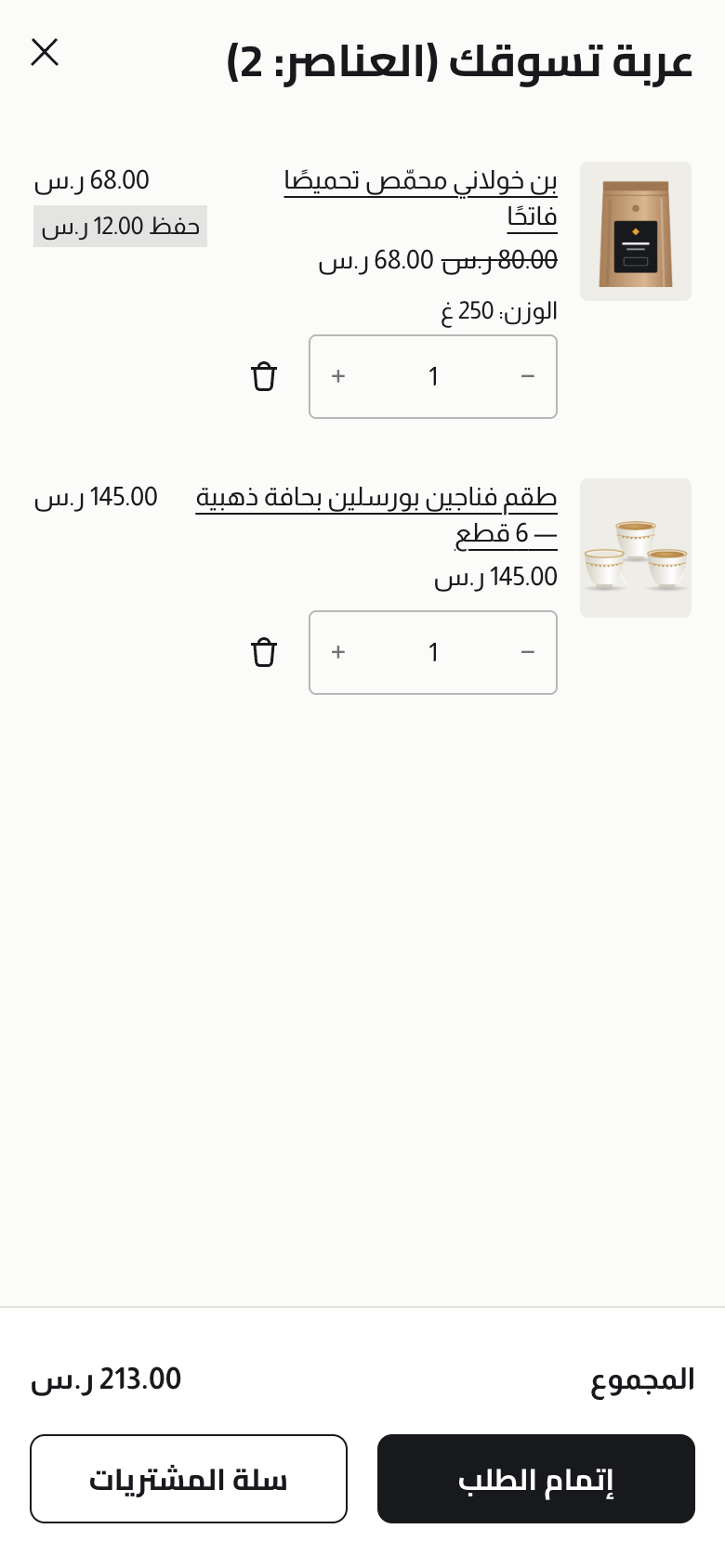
Opens over the page without leaving it.
5Cart
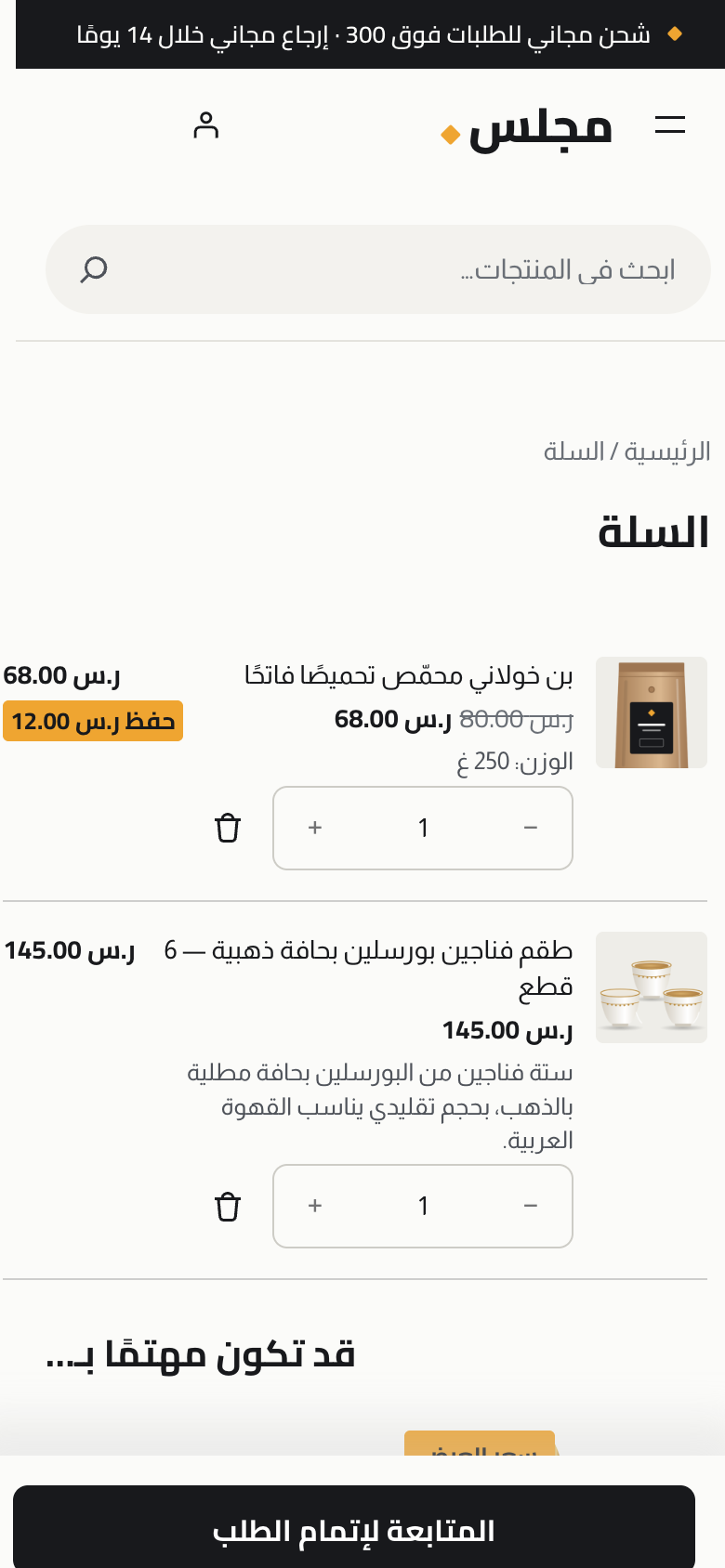
Coupon, shipping and total in one place.
6Checkout
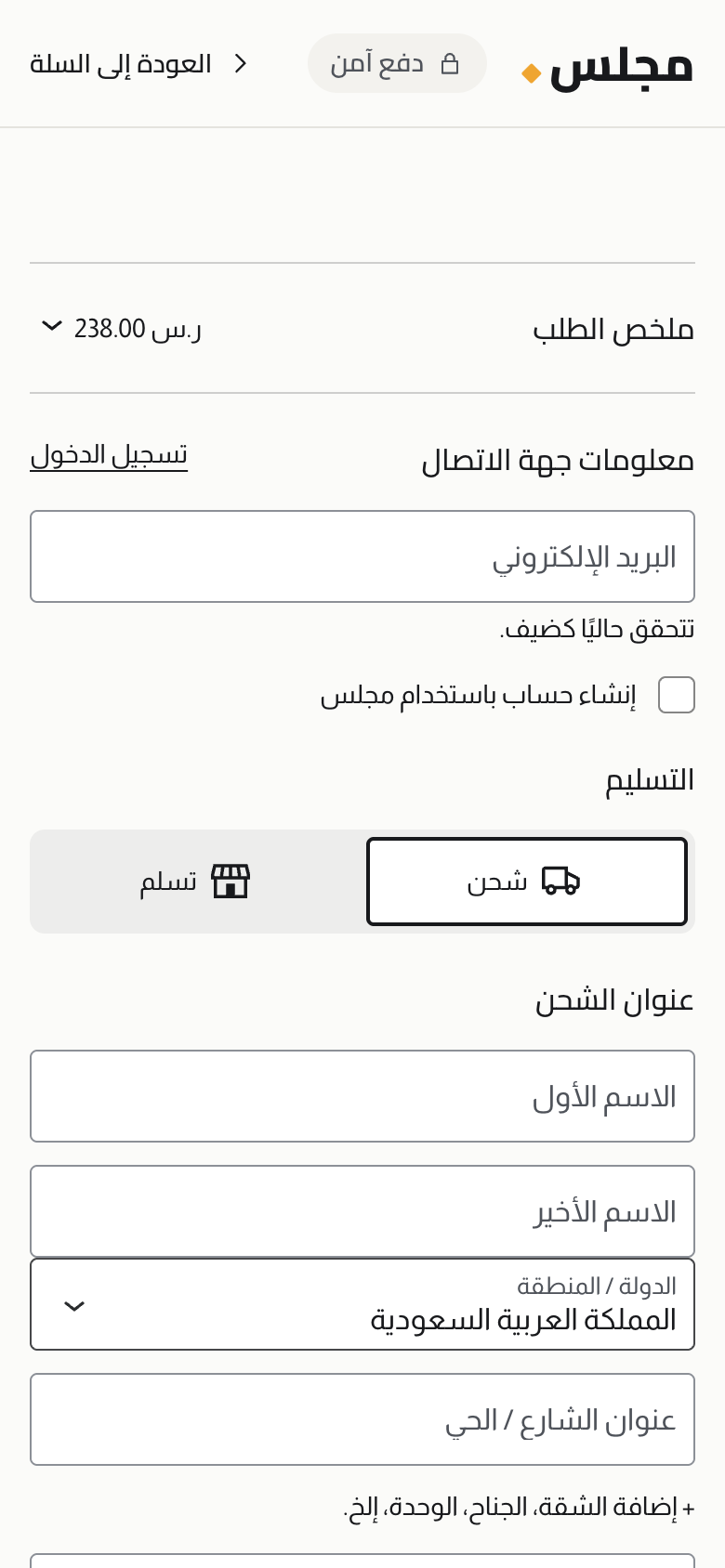
A simple header: the store name and a link back to the cart.
7Order confirmation
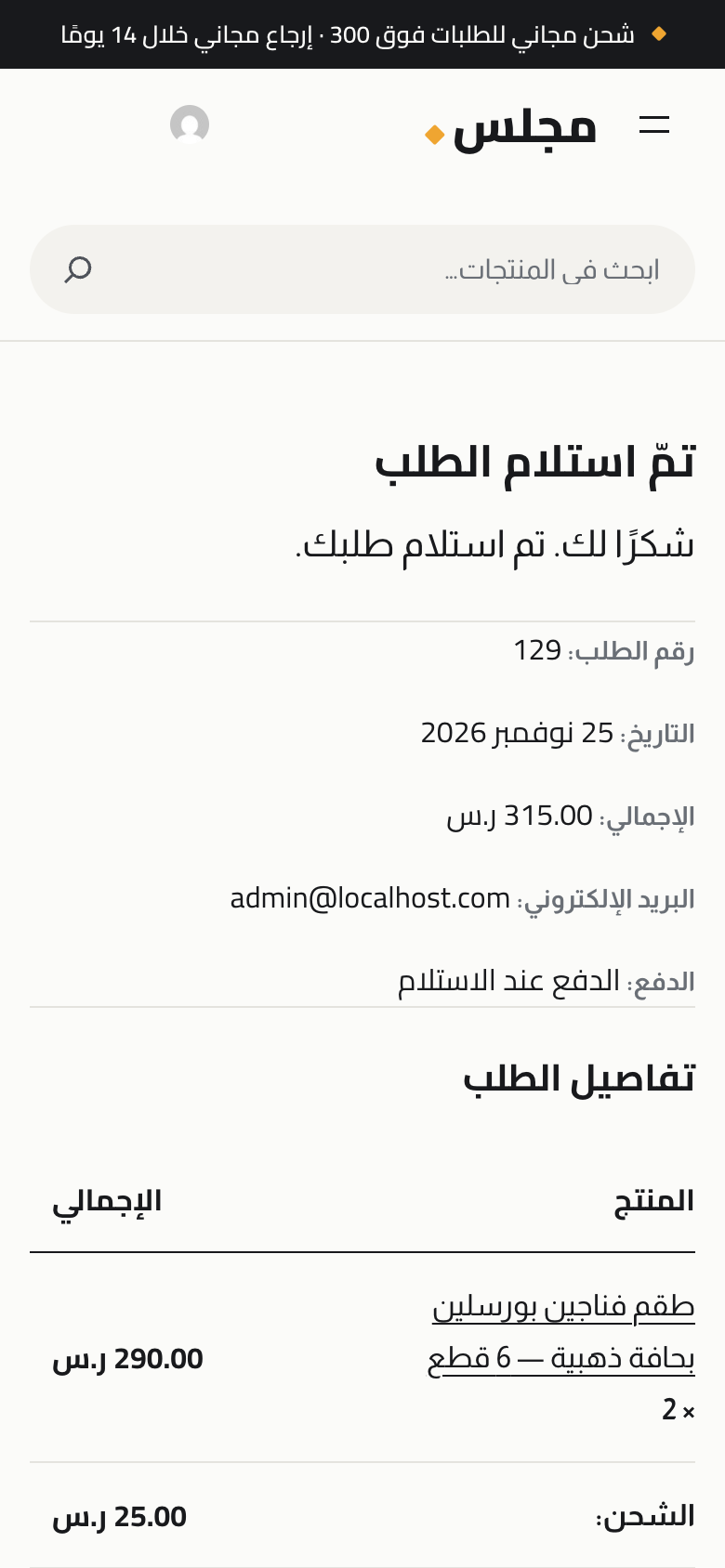
The order number, and what happens next.
“Majlis” data is for demonstration, and the product images are line drawings from the Khazaf design.
Light and dark, and three variations besides the original
Drag the divider to see the same page in both modes. Store owners pick a style variation in the Site Editor, and the Khazaf Tools plugin lets visitors switch between light and dark.
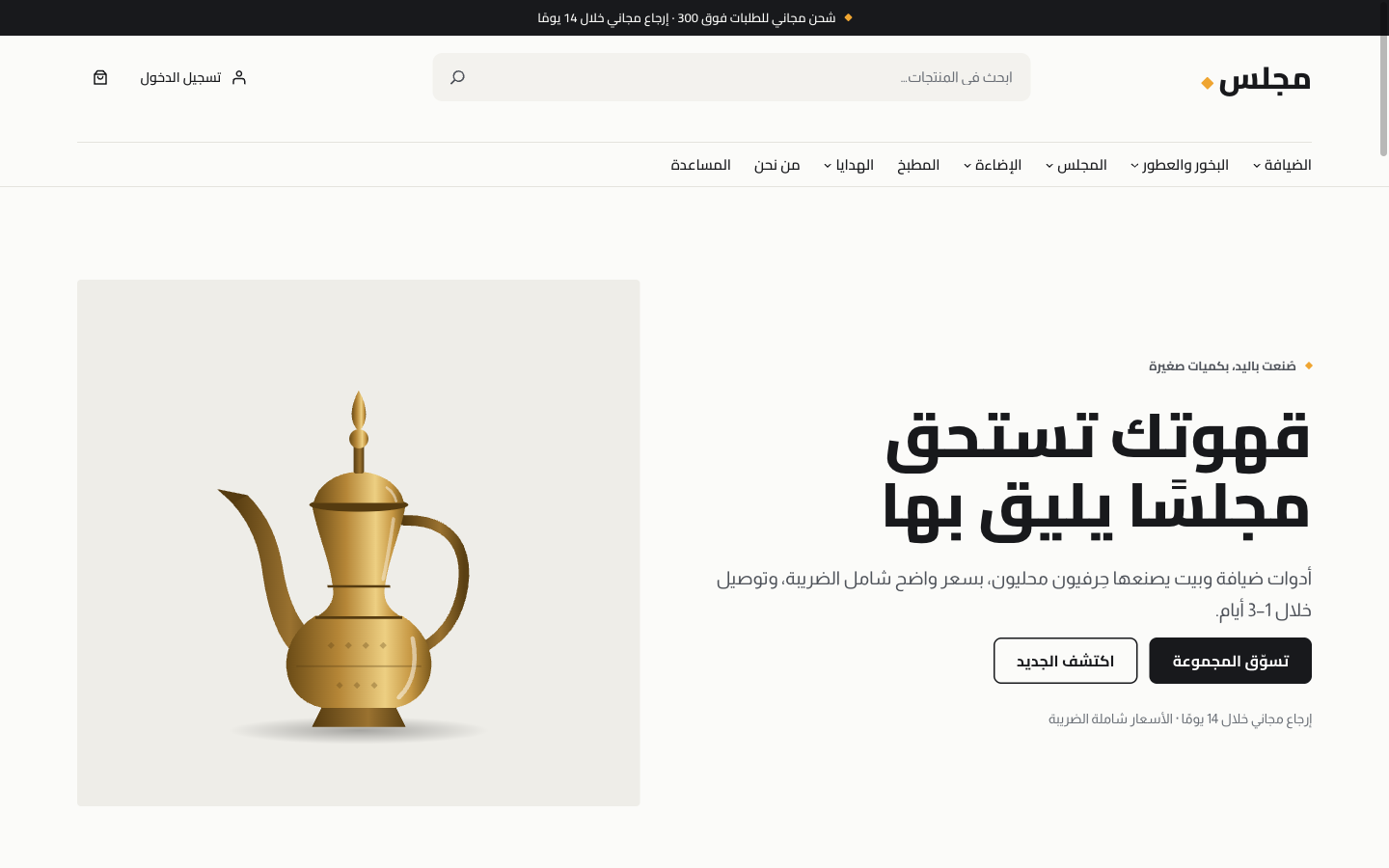
Original
Paper, ink and a saffron dot.
Dark
For evenings and dim screens.
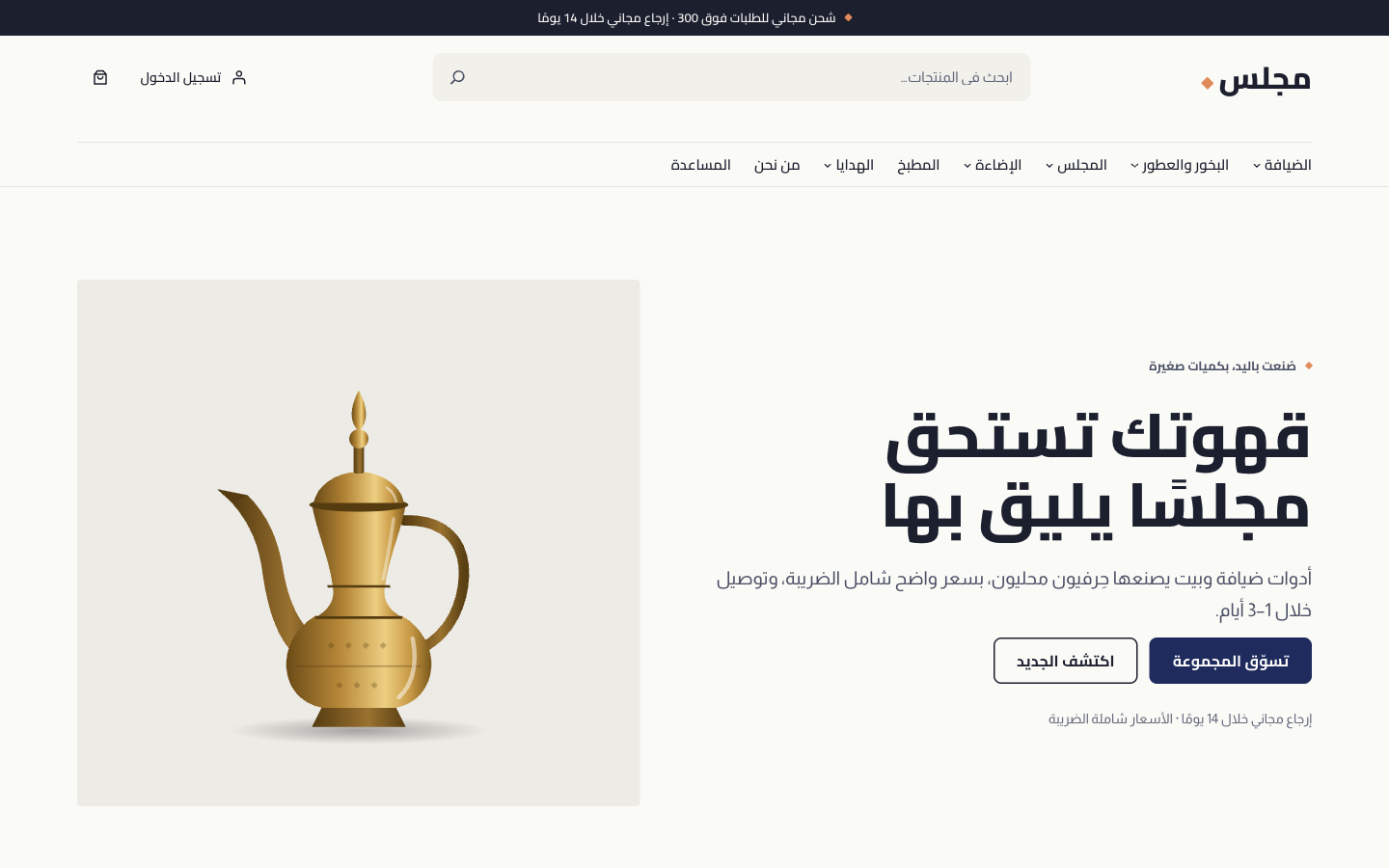
Nili
Deep indigo with a coral touch.
Hajar
Cool grey with a teal touch.
Designed in Arabic first, and works in English
Khazaf Store was designed right to left from its first line, then tested left to right.
Right to left
The theme lays out the page with logical CSS properties, so the layout follows the language’s direction, Arabic or English. An image its author floats left or right in the classic editor stays on the side the author chose.
Complete translation
An Arabic translation for every string the theme adds, and a POT file for other languages.
The new riyal symbol
Shows in prices with the Khazaf Tools plugin. On its own, the theme shows the WooCommerce symbol.
Two local typefaces
Cairo for headings and prices, Almarai for reading, with no request to an outside font service.
Accessibility
This is what the theme itself draws. Blocks that WooCommerce and WordPress draw inside its pages have known limits, listed in the readme that comes with the theme.
Keyboard
The theme’s own links, buttons and menus, the phone menu included, are reached with Tab and work with Enter.
Visible focus indicator
A clear outline around the element a visitor reaches with the keyboard, in light and dark.
Underlined text links
So telling them apart never depends on color alone.
Enough contrast
Text colors meet the AA contrast ratio in the default style and its three variations, measured with axe in Chromium, Firefox and WebKit. Field borders reach 3:1, computed from the theme’s colors.
Clear structure
The page’s title is its main heading (h1), with its sections as smaller headings below it. The “Page (no title)” template prints no title, so start its content with a heading. The header, main content and footer are landmarks, with WordPress’s skip link to the content.
Price, discount and your terms
Dallah & Finjan
Hand-hammered copper dallah, 1.2 L
At the top of the page: free shipping on orders of 300 or more, free returns within 14 days.
An example with demo data from the “Majlis” store.
Prices in the text colorPrices are in the text color, and the regular price is struck through in a quieter tone. Saffron marks the sale badge, ratings and the cart count.
A place for your terms at the topInsert the Announcement bar pattern at the top of the header template part in the Site Editor, and write one line about shipping or returns in it.
A discount beside the regular priceThe sale badge shows only beside the regular price struck through, on product cards and the product page. Its percentage needs WooCommerce 11.3 or later.
What’s in the theme
A complete block theme, controlled from the Site Editor.
A complete block theme
Page templates, template parts and patterns are edited in the Site Editor, where you also pick colors, fonts and style variations.
WooCommerce templates
Shop and its categories, search, product, cart, checkout, order confirmation and coming soon.
Ready-made patterns
Hero, sections, testimonials, FAQ, and About and Help pages.
Style variations
Dark, Nili and Hajar, with block styles for headings, groups, lists and separators.
Works without WooCommerce
A complete blog and pages; the store sections appear when you activate WooCommerce.
Fonts and drawings in the package
Cairo, Almarai, the drawings and the icons load from your own site, from the theme’s files. The theme adds no analytics and imports no demo content.
Requirements
- WordPress
- 7.1 or later
- PHP
- 7.4 or later
- WooCommerce
- Optional. Tested with 11.3.1; the percentage sale badge needs 11.3 or later. Without it the theme works as a blog.
- License
- GPLv2 or later
- Version
- 1.1.0
Two plugins tested with the theme
Both were tested with the theme’s templates in November 2026. They come from the WordPress.org directory, you install them yourself, and the theme works fully without them.
- WishlistTI WooCommerce Wishlist
- Instant searchFiboSearch
Khazaf Tools
The companion plugin to Khazaf Store: free-shipping progress, a delivery promise, a WhatsApp button, Business Details, a sticky add-to-cart bar on phones and a dark-mode toggle, with an option for the new riyal symbol. Built for block themes, and tested with Khazaf Store and Twenty Twenty-Five.
Meet Khazaf ToolsInstallation
- Download khazaf-store.zip with the “Download from GitHub” button at the top of this page.
- In your WordPress dashboard: Appearance → Themes → Add Theme → Upload Theme, then choose the file, press “Install Now”, then “Activate”.
- Under Settings → Reading, choose a static front page to show the store sections.
- Under Appearance → Editor, change the text and colors, and choose a style variation under Styles.
Once it is accepted into the directory, you install and update it from your site’s dashboard.
See it before you install
The store pages, as a shopper sees them, are in “The whole purchase” above, from the front page to the order confirmation. Once the theme is in the WordPress.org directory, the preview button on its page there shows it with the directory’s general sample content, without a store or products.
Need a store with its own identity?
I design and build it for you, a new theme or changes to Khazaf Store. The WordPress code I deliver is licensed GPLv2 or later.
Khazaf Store is a free theme licensed GPLv2 or later, designed and developed by Sultan.
WordPress is a trademark of the WordPress Foundation. WooCommerce® and its associated designs are trademarks of Automattic Inc. Khazaf Store is not a product of either and is not affiliated with them; their names appear only to state compatibility.