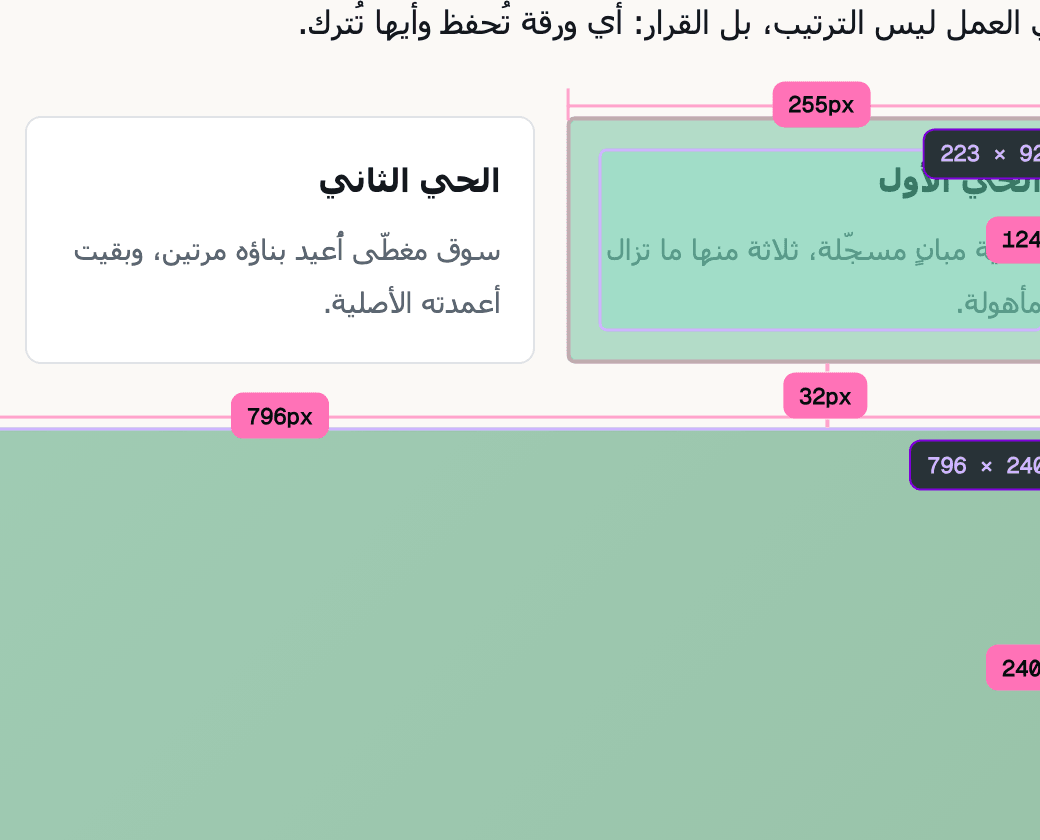
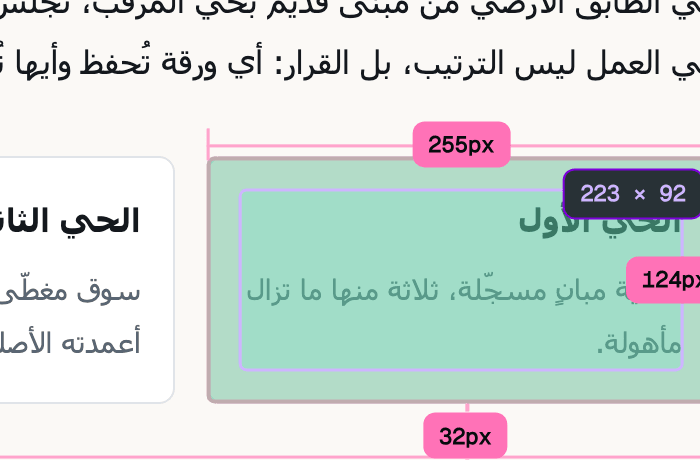
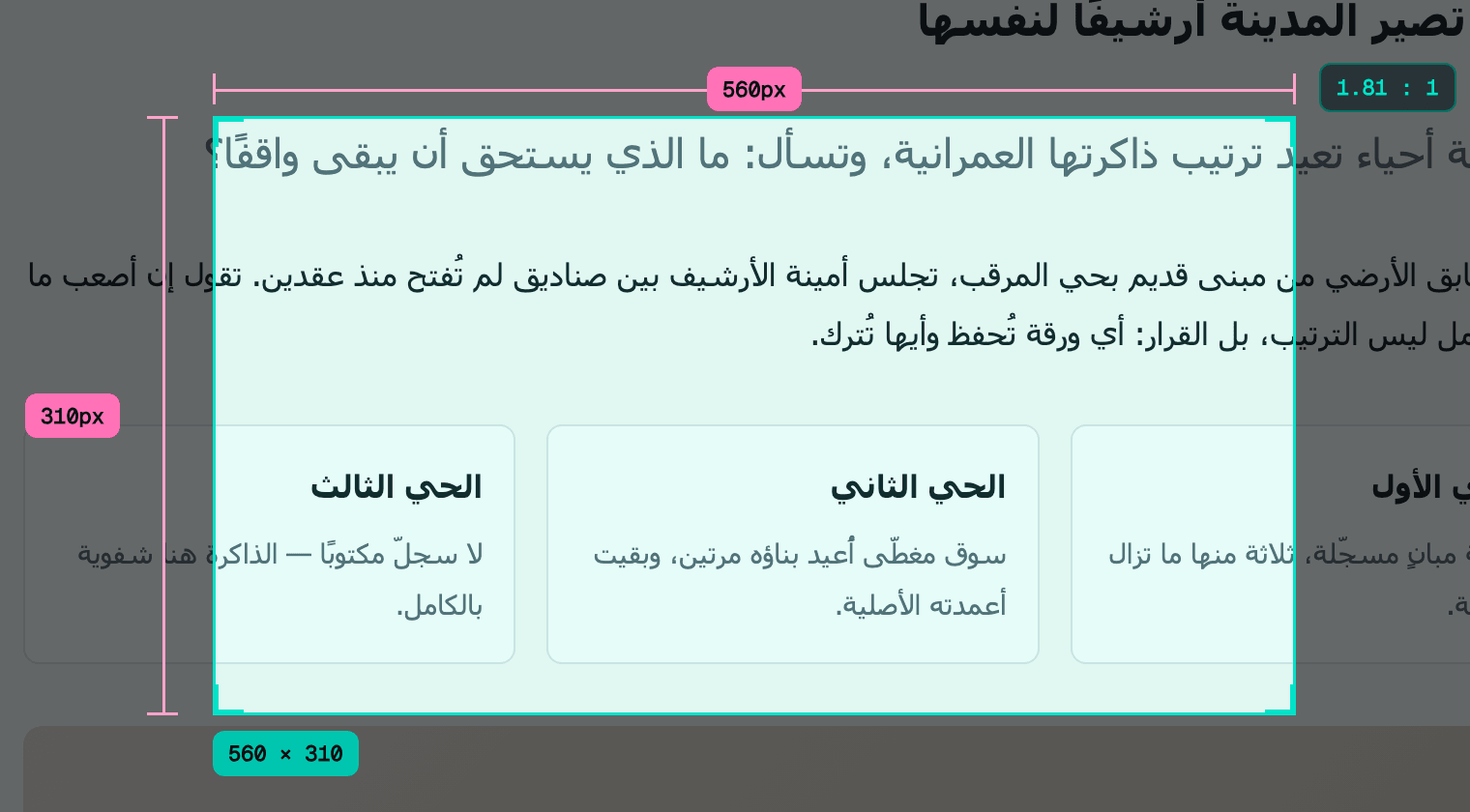
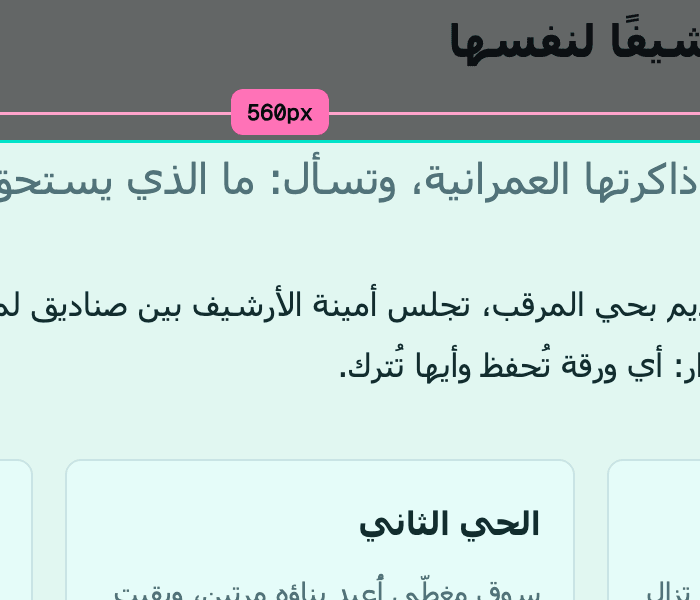
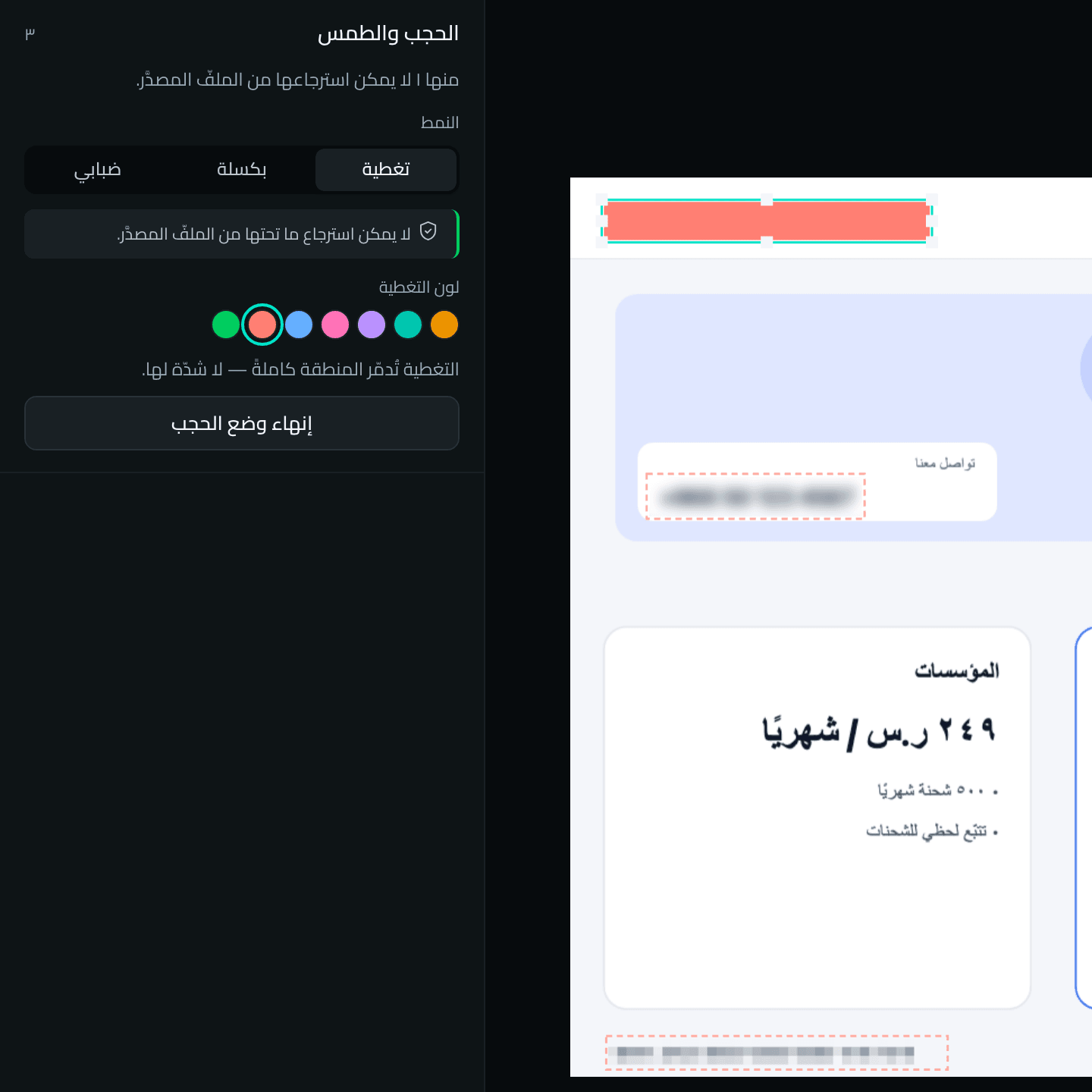
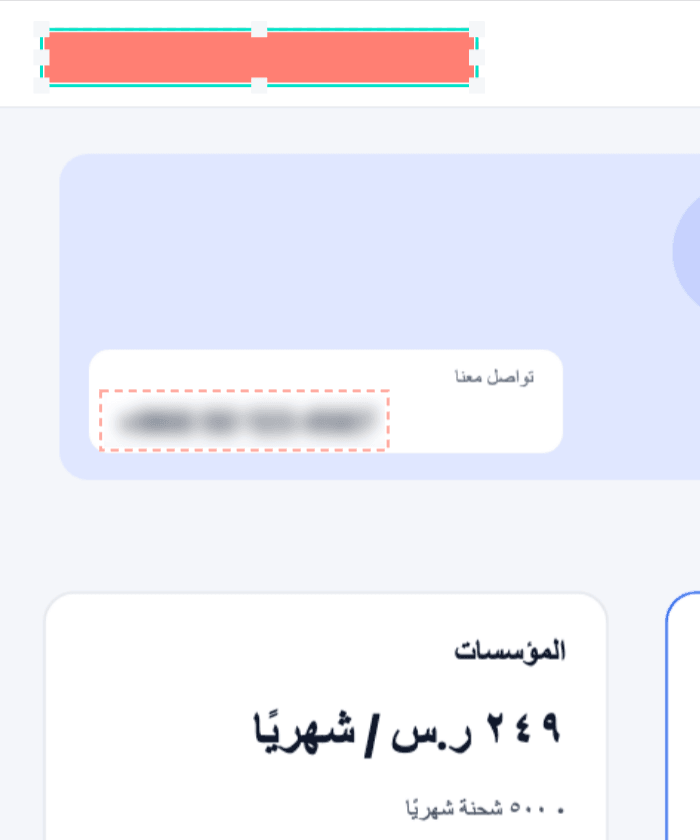
A live measurement on an Arabic page, zoomed on the gap itselfmeasure_two-elements--dark
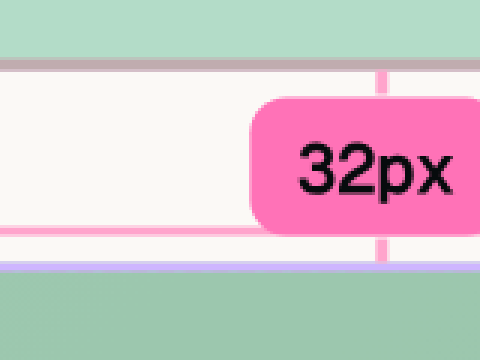
32pxThe gap between the two elements, as the browser drew itmeasure_two-elements--dark
Inspect
Inspect the interface as it renders
Rasd reads what the browser actually computed, not what was written in CSS: box, type, colour and accessibility for any element — then hands it to you as CSS, Tailwind or JSON.Rasd reads what the browser actually computed, not what was written in CSS — then hands it to you as CSS, Tailwind or JSON.
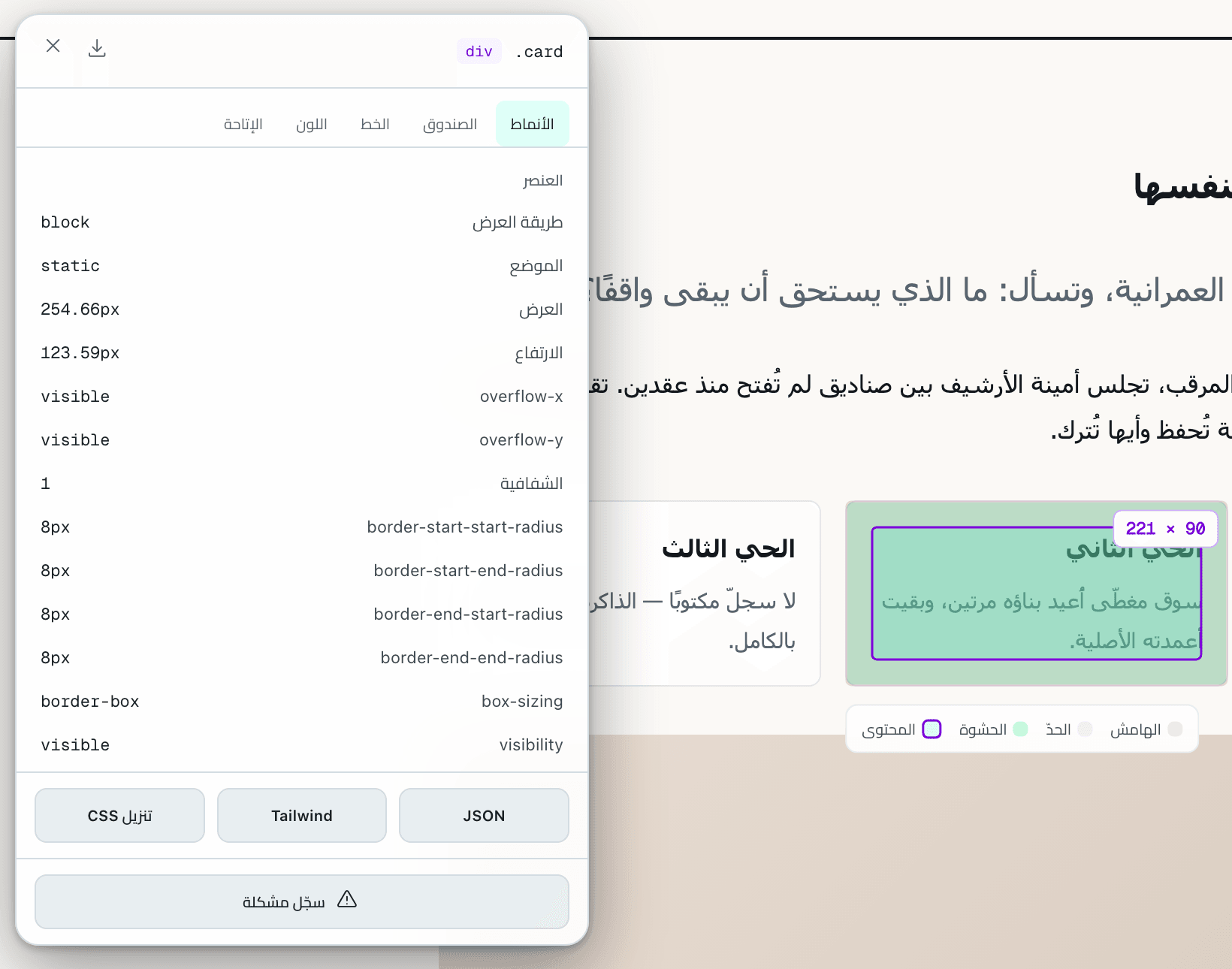
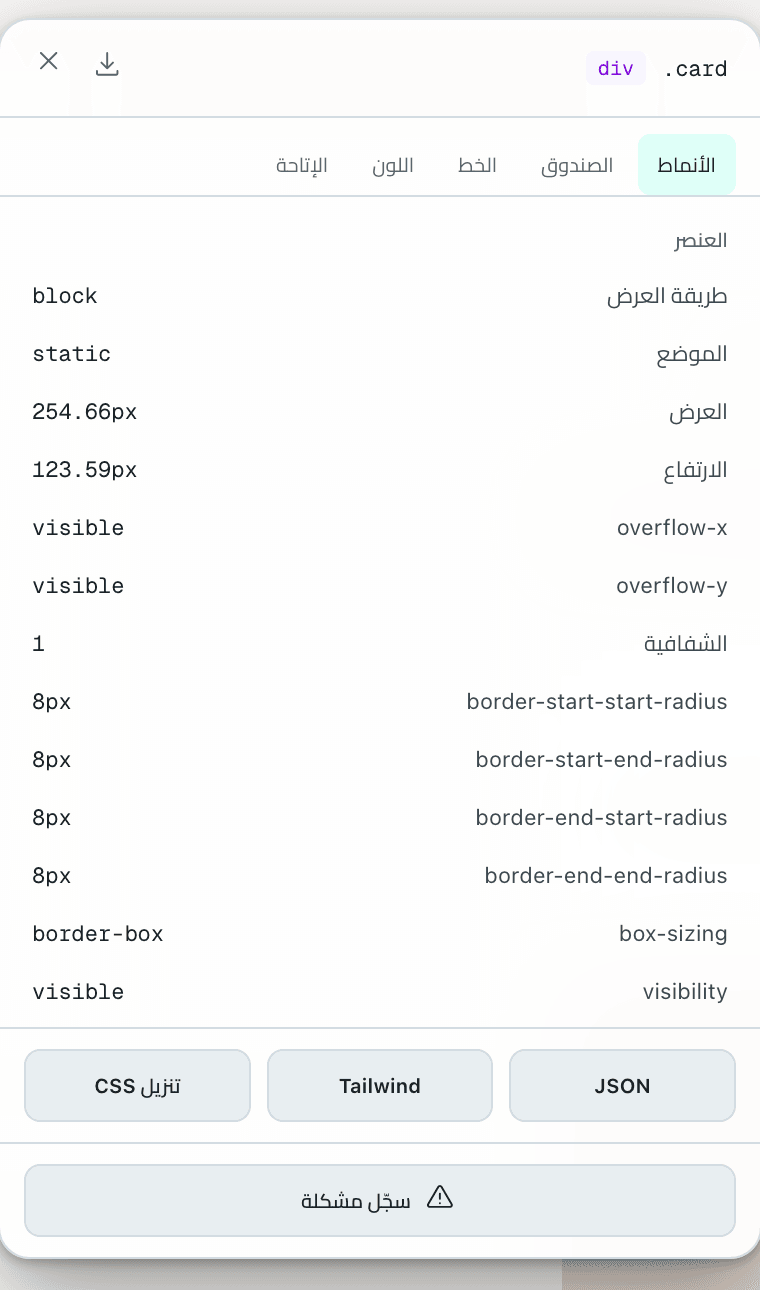
A selected element on an Arabic page: its box in all four layers, and its computed values in the panelinspect_element-selected--light
254.66pxThe width as the browser computed it, fractions included
border-boxThe element’s actual box model
CSS · Tailwind · JSONThree formats, one click to download
123
1254.66pxThe width as the browser computed it, fractions included
2border-boxThe element’s actual box model
3CSS · Tailwind · JSONThree formats, one click to download
inspect_element-selected--light
Capabilities
Tools that work on the live page
Every tool gives you a value as the browser drew it — and the images here are live captures of them, not drawings.Every tool gives you a value as the browser drew it.
Capture
Capture exactly what you want
An area you size precisely, an element, the visible part or the full page — from the popup, the right-click menu or shortcuts.An area you size precisely, an element, the visible part or the full page.
⇧⌘T area · ⇧⌘E element · ⇧⌘V visible · ⇧⌘S page⇧⌘T · ⇧⌘E · ⇧⌘V · ⇧⌘S
Selecting an area: its width, height and ratio as you drawcapture_area-select--dark
capture_area-select--dark
Colours
Read colour as it renders
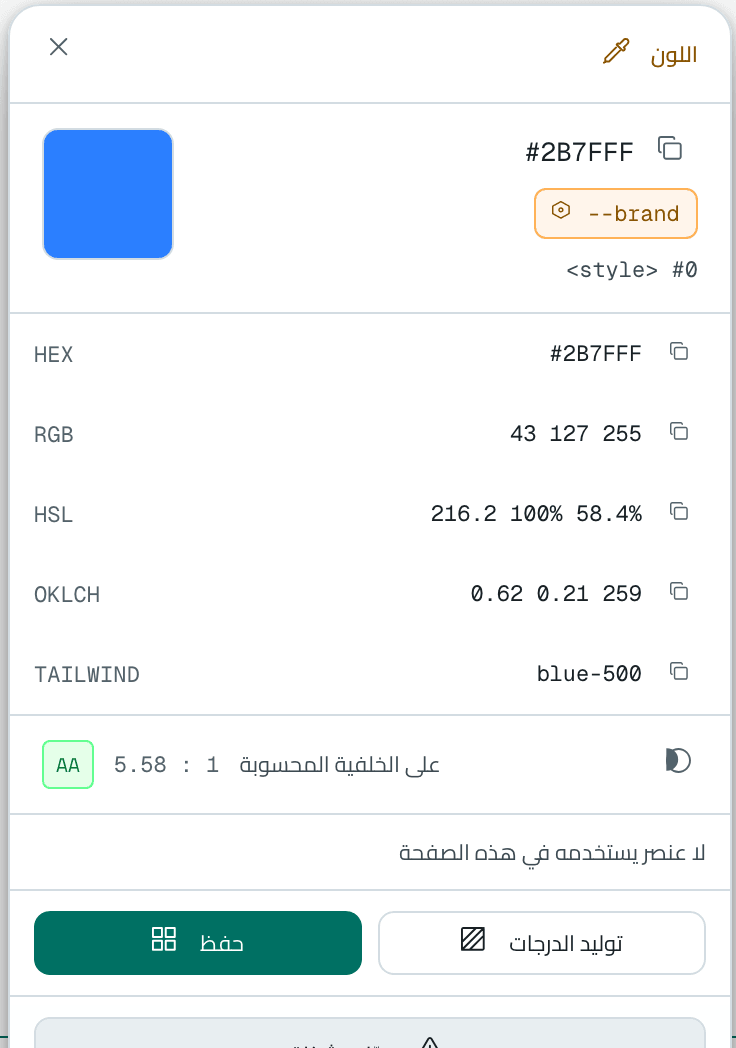
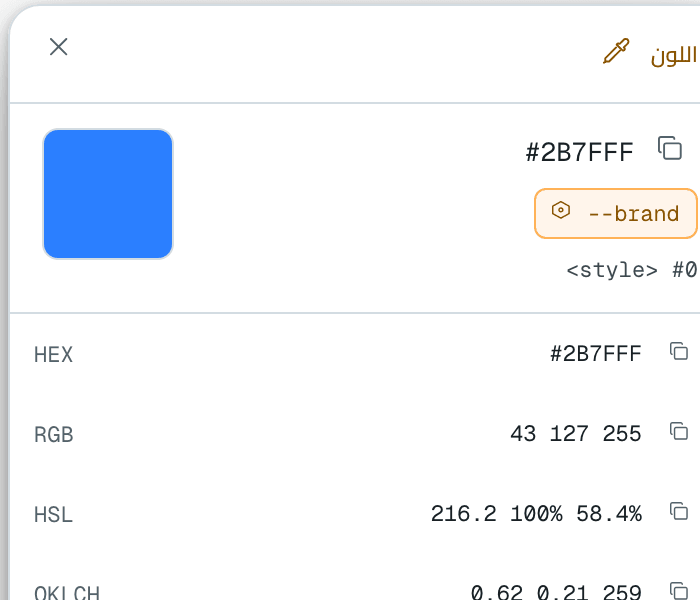
An eyedropper that reads the pixel itself, in every format, with the CSS variable it came from and its contrast on its background — plus the page palette and a full-page contrast audit.An eyedropper that reads the pixel itself, in every format, with the CSS variable it came from and its contrast on its background.
HEX · RGB · HSL · OKLCH · Tailwind
#2B7FFFrgb 43 127 255 · x 703 · y 5595.58 : 1 · AAon its background
colors_sampling--light
The pixel under the eyedropper, magnified twelve times, and its reading in the panel
#2B7FFF43 127 2555.58 : 1 · AA
colors_sampling--light
Compare
Compare the build with the reference
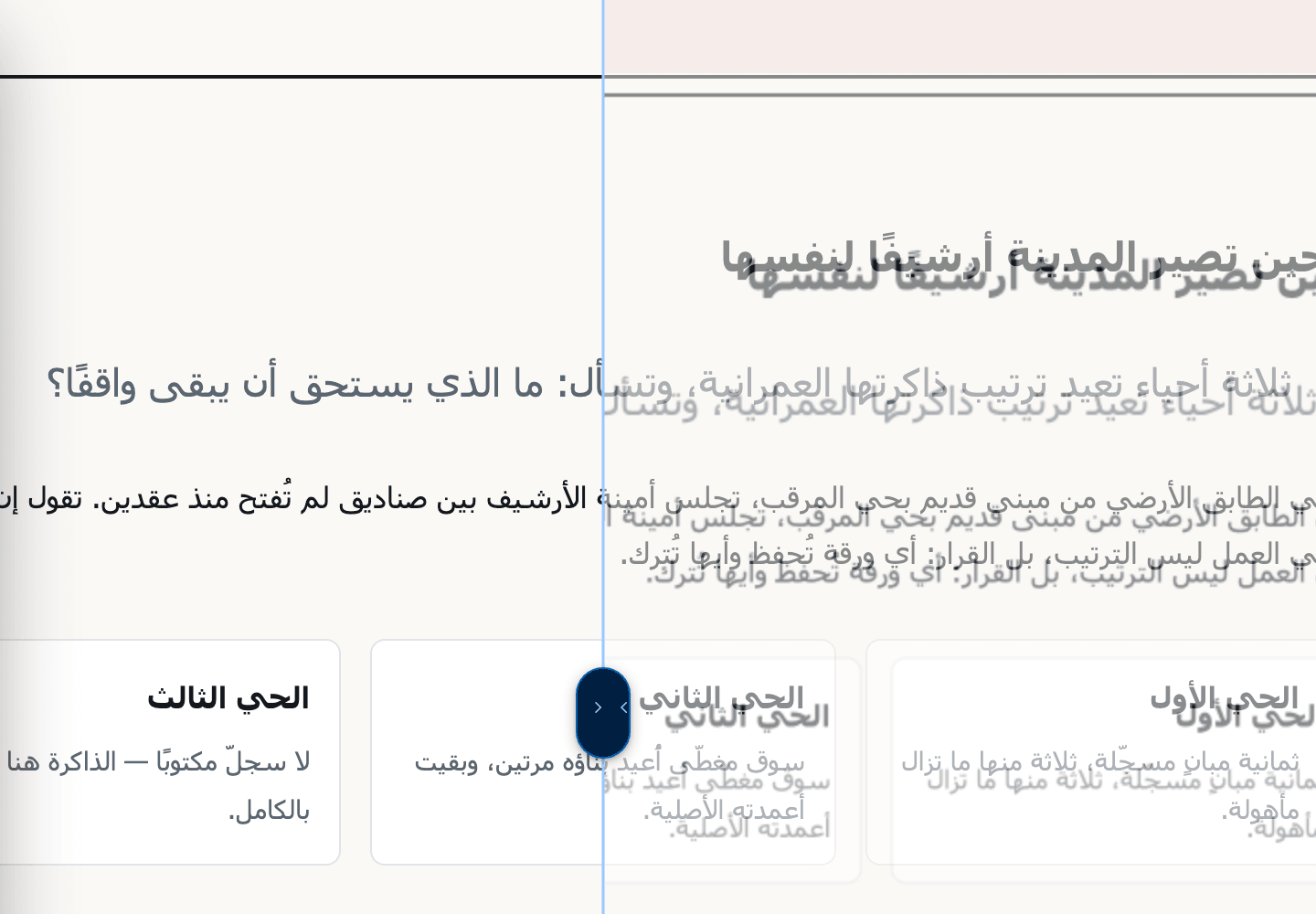
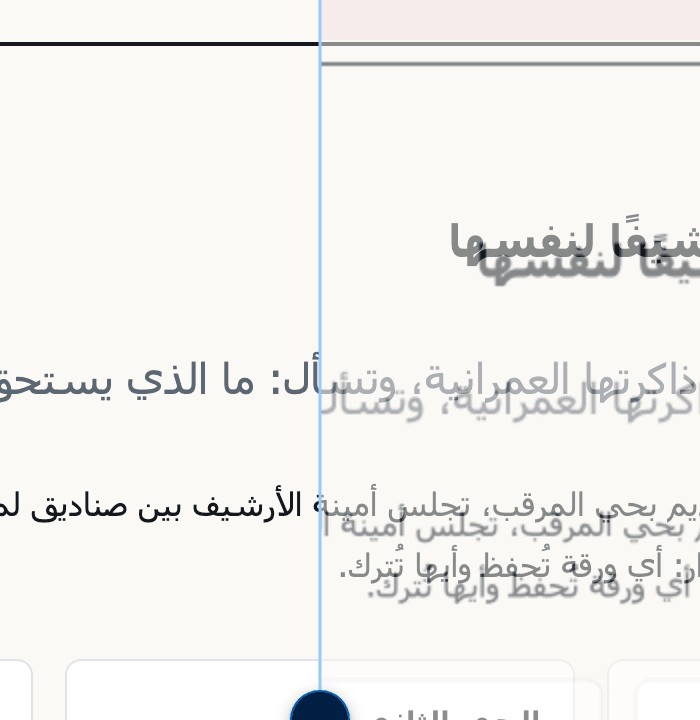
Split, overlay, opacity and flicker over the live page, with the share of differing pixels, exclusion of changing areas, and a PDF report.Split, overlay, opacity and flicker over the live page, with the share of differing pixels.
Split · Overlay · Opacity · Flicker
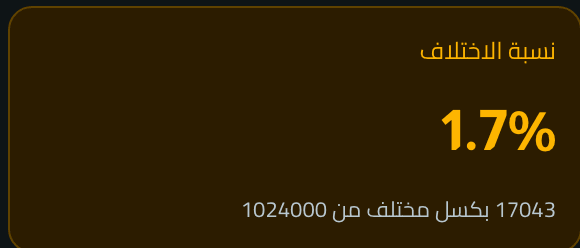
17043 / 1024000pixels differ between two captures — a ratio computed, not estimated
Numbered notes, arrows, text and crop — and redaction baked into the image’s pixels, so it cannot be recovered from the file.
Cover · Pixelate · Blur
123
1Cover
2Blur
3Pixelate
editor_redact--dark
12
1Cover
2Blur
editor_redact--dark
Library
Your library, on your device
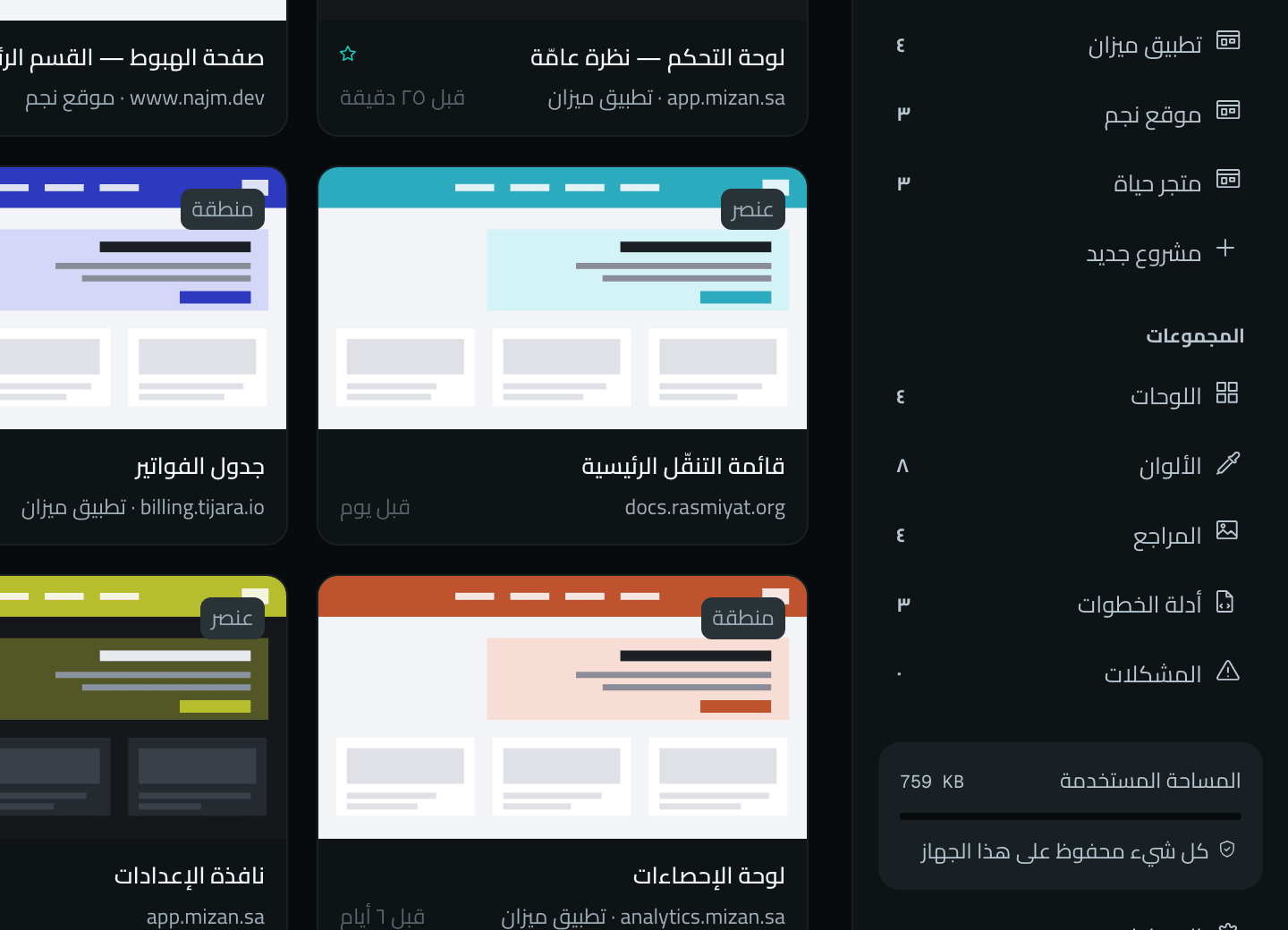
Captures, projects, tags, colour palettes, references and step guides, a thirty-day trash, a backup, and a passcode lock — no account and no server.Captures, projects, palettes, references and step guides, with a trash, a backup and a lock — no account and no server.
IndexedDB · chrome.storage.local
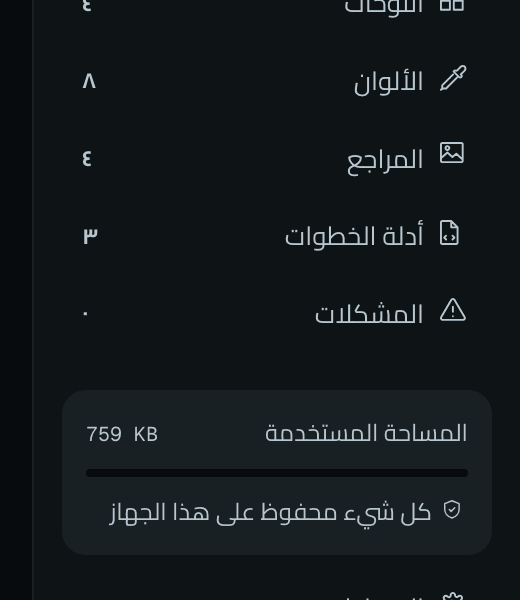
759 KB · on this device
library_grid--dark
Storage used is read from the browser itself, and no copy exists anywhere else
library_grid--dark
Issues
A note that knows when it’s fixed
Tied to the element with its expected and actual values, and re-checked on the live page, so you know whether it is fixed or still open.Tied to the element with its expected and actual values, and re-checked on the live page.
Expected · Actual · Open · Fixed
Handoff
Hand developers what they need
PNG images and PDF reports, a step guide in four formats, a developer handoff bundle in Markdown and JSON, and a single-file share page that opens offline.PNG images and PDF reports, a step guide in four formats, a handoff bundle in Markdown and JSON, and a share page that opens offline.
PNG · PDF · ZIP · Markdown · JSON · HTML
How it works
From noticing to handoff, on one lineFrom noticing to handoff
Six steps on the page itself, each with its value — from the captures above, not numbers for show.Six steps on the page itself, each with its value from the captures above.
1Notice560 × 310An area captured with its dimensions
2Measure32pxThe gap between two elements
3Inspect254.66pxThe computed width
4Compare1.7%Pixels differing from the reference
5DocumentImage with baked redaction, or reportPNG · PDFNumbered redaction in the imageImage with baked redaction, or report
6Hand offMarkdown · JSONA bundle for the developer
Privacy
What stays on your device, and what leaves it
Every sentence here has a place in the code that proves it or a command that measures it. No account, no server that stores your library, no usage analytics.Every sentence here has a place in the code that proves it or a command that measures it.
“Local only” as it appears in Settings from the first runprivacy_controls--dark
0network requests
While “Local only” is on — and it is by default
Rasd’s single network exit reads the setting from disk at every request, and refuses before anything is sent.The single network exit refuses before anything is sent.
Measured in real Chrome on every local path: every extension page, every tool, capture, library and export.Measured in real Chrome on every local path.
pnpm verify:network
0permanent site permissions
It works on the page where you invoke it, with a click or a shortcutIt works on the page where you invoke it, with a click
Six permanent permissions, none of them a host permission. The optional ones — downloads, access to all sites for those who want it, and the two service patterns — are requested when needed and revoked from the extensions page.
A “permission without a consumer” fails the build, and the manifest’s content security policy allows only the extension and the two destinations.
pnpm verify:dist
0accounts or servers holding your library
Your library lives in the browser’s local database only
Captures, projects, colours, references, issues and guides in IndexedDB on your device, and nothing is synced with your browser account.And nothing is synced with your browser account.
Rasd’s script in the page messages the extension and never writes to the storage of the site you visit.Rasd’s script in the page never writes to the site’s storage.
pnpm verify:dist
2optional connections
“Report a problem” and GitHub — on your click, after reviewing what will be sent“Report a problem” and GitHub — on your click, after review
Both require you to turn off “Local only” yourself, grant the permission, and press “Send”. A report never carries the page address, its content or your library.Both require you to turn off “Local only” yourself.
Two named destinations are the only ones the manifest’s content security policy allows.Two named destinations, the only ones in the content security policy.
The same package, tested in each: it loads without a warning, then every Rasd journey runs in it.The same package, tested in each.
Chrome
154.0.8037.93
Chromium 154
Tested2026-10-02
Edge
154.0.4258.53
Chromium 154
Tested2026-10-02
Brave
1.96.59
Chromium 154
Tested2026-10-02
Pixel colours are exact: the eyedropper decodes the capture with ImageDecoder, not the canvas, so fingerprint farbling does not touch it
Opera
136.0.6008.80
Chromium 152
Tested2026-10-02
Three shortcuts are reserved — assign them manually
Vivaldi
8.2.4133.80
Chromium 152
Tested2026-10-02
Firefox
157.0
Gecko 157
Tested2026-10-02
Its own package from the same source; does not run in private windows
Tested on macOS, with the same package in each.rasd-0.1.0.zip · 65cd1726 · 2026-10-02
One click away
Every tool, one click away
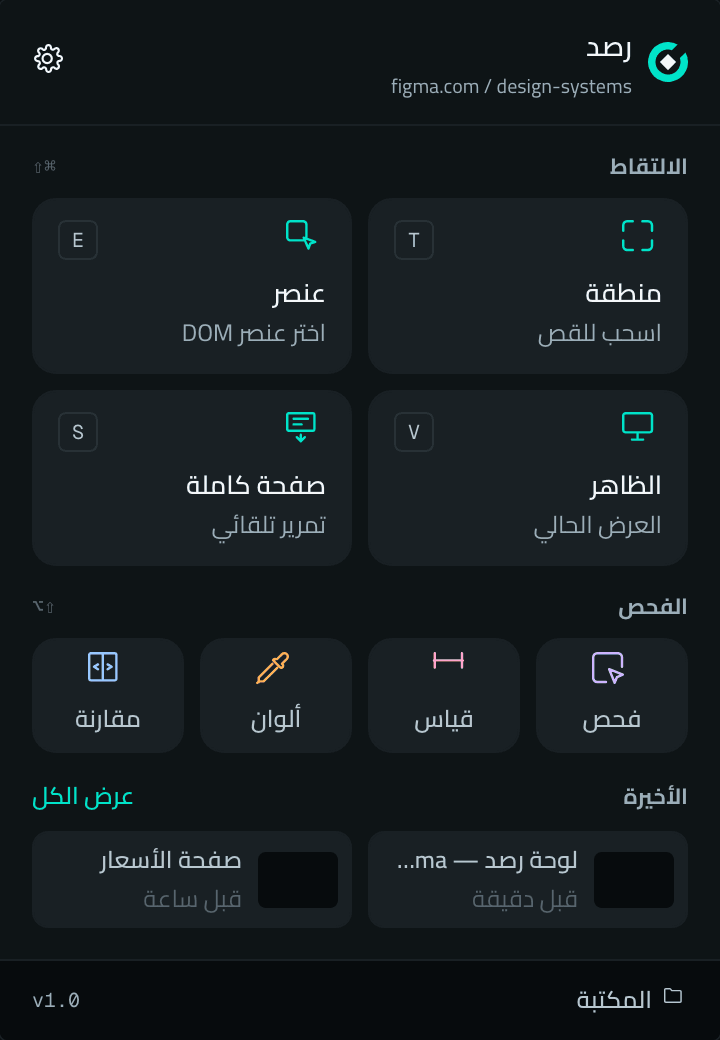
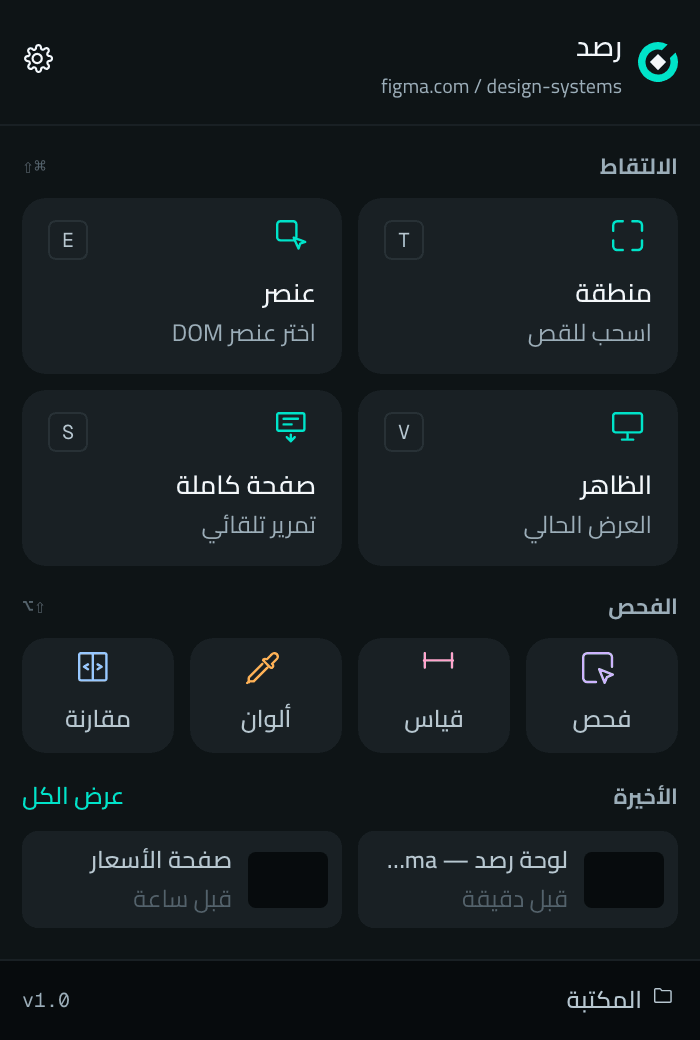
The same popup in all six browsers: capture with its shortcuts, the four tools, your latest captures, and the library.The same popup in all six browsers.
CaptureFour modes, each with its shortcut⇧⌘T · ⇧⌘E · ⇧⌘V · ⇧⌘S
Version 1.0 is live on the Chrome Web Store and Firefox Add-ons; the other stores follow. Until then, try the package in any of the six browsers.Version 1.0 is live on the Chrome Web Store and Firefox Add-ons; the other stores follow.